


Blog

HOW TO SET UP CLOUD IVR SOLUTIONS FOR YOUR BUSINESS IN UNDER A DAY
A customer dials your business, gets a crisp greeting, taps a key, and reaches the correct team. No endless hold tunes. Cloud IVR Solutionsthis edge. Telecom reports show it slashes wait times by 40 percent. It grows as your business does. Folks often assume a strong phone setup demands weeks of grief and huge cash outlays. Nope. Cloud IVR flips the script. This online-hosted option skips old on-site gear linked to your office. Expect fast rollout, cheap starts, and simple updates for shifting needs. This guide walks you through a full IVR build in one workday. Tackle plans, installs, links, and rollout—quick and straightforward.
What Is Cloud IVR and Why Choose It Now?
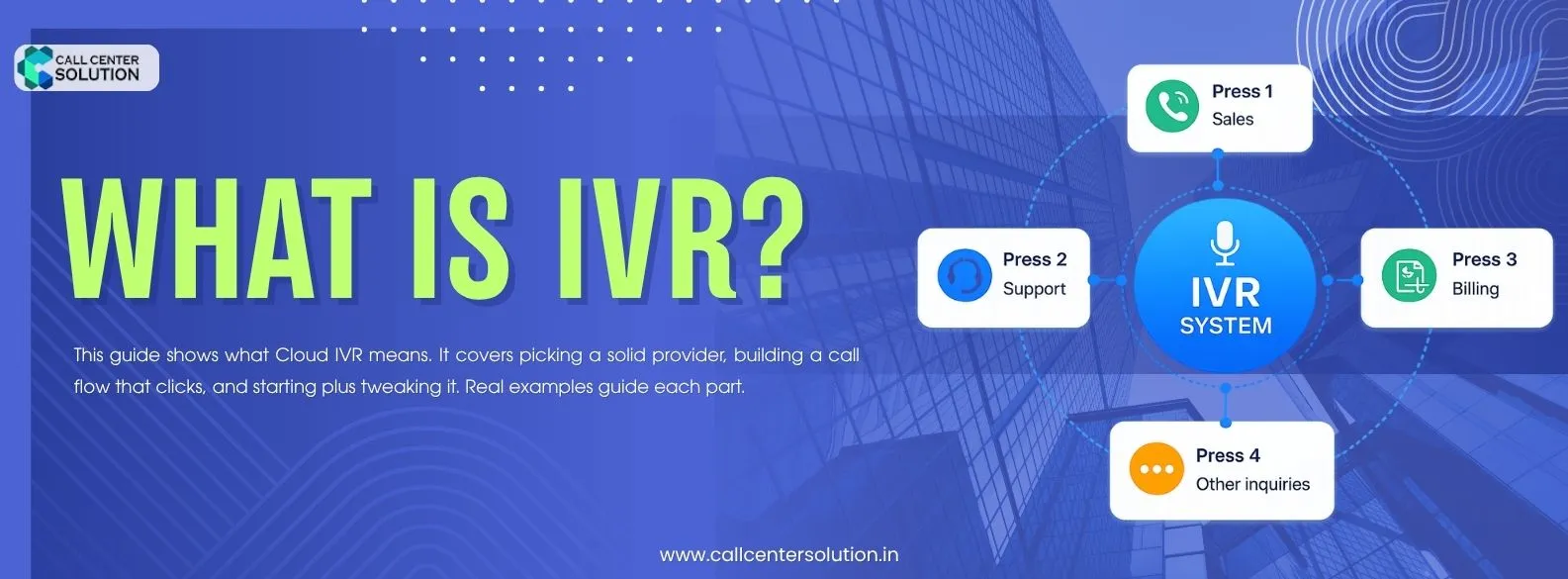
Cloud IVR automates phone calls. It greets people, directs them to the right department, and sorts basic requests. No staff needs to answer. Old hardware PBX systems sit on-site, but cloud IVR runs online only. You control it from a browser. It grows as your business does.Predictive Core Benefits at a Glance
24/7 auto-attend: Handle calls around the clock — nights, weekends, holidays — without added staff.Instant scale:
Handle a 10-call day and a 10,000-call day with zero infrastructure changes.Zero hardware:
No phones to install, no servers to maintain, no wires to run.Lower costs:
Reduce agent time on repetitive queries like hours, order status, and billing.Integrations ready:
Connect to your CRM, helpdesk, and payment systems out of the box.If your business faces high call volume, seasonal spikes, or limited support staff, the math makes itself: cloud IVR pays for itself rapidly through saved agent hours and reduced customer churn.
Cut frontline staff costs on routine queries by up to 35%. Handle holiday and promotional call peaks without emergency hiring.
Pick the Right Cloud IVR Solution Provider
Pick a provider that fits quick starts. Look for ones with open APIs for easy links to other tools. Check for ready-made templates that match common business needs, like retail or tech support. Top picks offer instant setup—no waiting for approvals. They integrate with CRMs like HubSpot or helpdesks such as Freshdesk right away.SaaS startups love providers like Twilio or Plivo for this. These let you provision numbers and build flows via simple code snippets. Speed matters here. A bad choice adds days; the right one keeps you under 24 hours.
- Call latency: Low latency means smooth conversations. Ask for real-world uptime SLAs, not just advertising claims.
- Pricing model: Per-minute, per-seat, or flat monthly? Spiky call volumes suit per-minute billing; steady volumes suit flat plans.
- Integrations: Does it plug into your CRM (Salesforce, HubSpot), helpdesk (Zendesk), or payment system?
- API quality: Developers need well-documented, stable APIs. Check changelog and community activity.
- Support SLA: 24/7 support matters when a call flow breaks at 11 p.m. on a Friday.
Why Cloud IVR Is a Game‑Changer for SMBs
- Zero CAPEX – No upfront hardware purchases; monthly subscription aligns with cash flow.
- Instant Scalability – Add new numbers or increase concurrent call capacity with a few clicks.
- Geographic Flexibility – A virtual number works wherever your team operates, ideal for remote or hybrid workforces.
- Business Continuity – Cloud platforms automatically reroute calls if an office loses internet, ensuring service never drops.
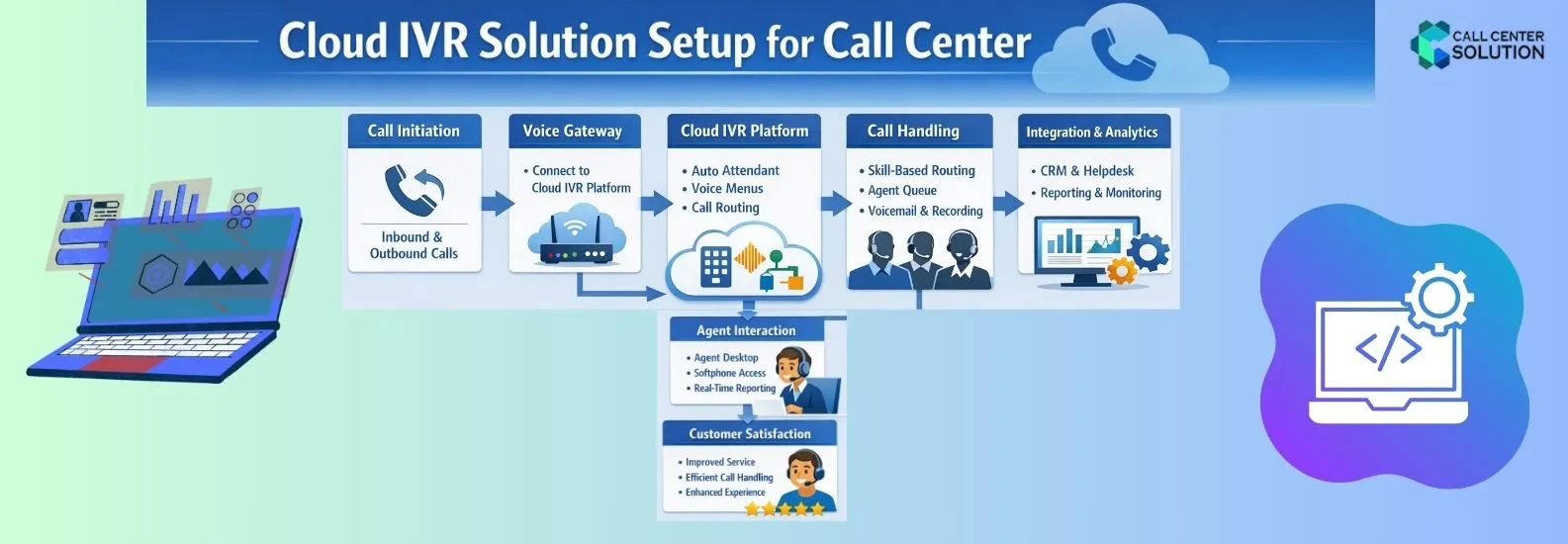
Setting Up a Cloud IVR Solution in Under a Day with Callcentersolution.in
Here's a simple step-by-step plan. IT managers can use it to get a live IVR running by end of day.1. Choose the Right Provider – Why callcentersolution.in Stands Out
| Criteria | What to Look For | callcentersolution.in Advantage |
|---|---|---|
| Onboarding Speed | Self-service portal, pre-built templates | Guided wizard gets you from sign-up to first call in <4 hrs |
| Scalability | Pay-as-you-go, auto-scale during peaks | Unlimited concurrent calls with transparent pricing |
| Support | 24/7 chat/phone, dedicated onboarding specialist | One-hour live onboarding session included |
| Integrations | CRM, help-desk, analytics APIs | Native connectors for Zoho, Freshdesk, HubSpot |
2. Basic Setup and Configuration
Create an Account – Verify email, set admin credentials, and enable two‑factor authentication.Claim a DID (Direct Inward Dialing) Number – Choose a local or toll‑free number from the portal’s marketplace; provisioning is instantaneous.
- Select a Template – The platform offers industry‑specific IVR blueprints (e.g., “Retail Order Tracker”, “Appointment Scheduler”). Pick one that matches your business flow.
- Upload Voice Prompts – Record greetings using a smartphone or the built‑in text‑to‑speech engine; drag‑and‑drop files into the corresponding steps.
3.Testing and Deployment
Internal Test Calls – Use a colleague’s mobile to dial the new DID; walk through each menu path, confirming prompt playback and correct routing.- Error Handling – Set up fallback actions (e.g., “If no input, redirect to live agent”).
- Load Simulation – Run a brief “soft launch” with a handful of external testers to verify concurrency handling.
- Go Live – Switch the status from “Testing” to “Active” with a single click; the IVR becomes visible to all inbound callers.
Cloud IVR Solutions vs. Traditional IVR: Key Differences Small and medium businesses short on funds for months-long setup projects gain the power to roll out a working IVR in one day. This clears a key roadblock to solid phone support.
| Factor | Traditional IVR | Cloud IVR Solutions |
|---|---|---|
| Setup time | Weeks to months | Hours to 1 day |
| Hardware required | Yes (PBX, servers) | No |
| Upfront cost | High (₹472,325–₹47,00,000 INR+) | Low (subscription-based) |
| Scalability | Limited | Instant |
| Updates & maintenance | Manual, IT-dependent | Automatic via the cloud |

Benefits of a One‑Day Cloud IVR Launch
For SMBs, these perks mean quicker revenue, low rate, and a pro brand image. They skip the costs of a standard call center.- Immediate Cost Savings – Eliminates the need for a multi‑month rollout budget.
- Improved Customer Satisfaction – Callers receive instant acknowledgment and self‑service options 24/7.
- Operational Agility – Menu changes can be rolled out in minutes to reflect promotions or policy updates.
- Data‑Driven Decisions – Real‑time analytics reveal call patterns, enabling smarter staffing and marketing.
Conclusion
Cloud IVR Solution wipe out all old master to pro business phone service. A solid call flow plan, good provider, and just a few hours let any small business launch a live, sharp phone system in one day. Tech is set to go. Customers call right now. Check your choices—sites like callcentersolution.in kick off smart, quick customer service.
Frequently Asked Questions (FAQ)
Latest Blog Posts

Auto Dialer Software for Call Centers
Call centers get a lot of calls every day. Calls to leads, talking to customers, following up on req

Is an Auto Dialer Worth It for a 5-Person Sales Team?
An Auto Dialer could seem like a clear purchase for a big call center. However, what about a five-pe
Interactive Voice Response (IVR) System
A basic IT device the changes way business engage to users is an Interactive Voice Response (IVR) sy